 Zevris
: an AI thinking canvas
An AI canvas for your next idea.
Keep an open question, useful notes, and the next step on one visual canvas. Ask Zevris for another perspective or a draft, then turn a thought into a plan when you are ready.
Create a free account; your 10-minute preview with 10 AI credits starts when your canvas is ready. No payment method required.
- 01Reflect
- 02Create
- 03Follow through
Your canvas
Example workspace
A question
What would make this feel easier to begin?
Still open · saved thought
A reference
Notes and sources to come back to
Think it through with Zevris
Ask for another perspective
You choose what happens next
Real product capture · sample workspace
A question can become a next step.
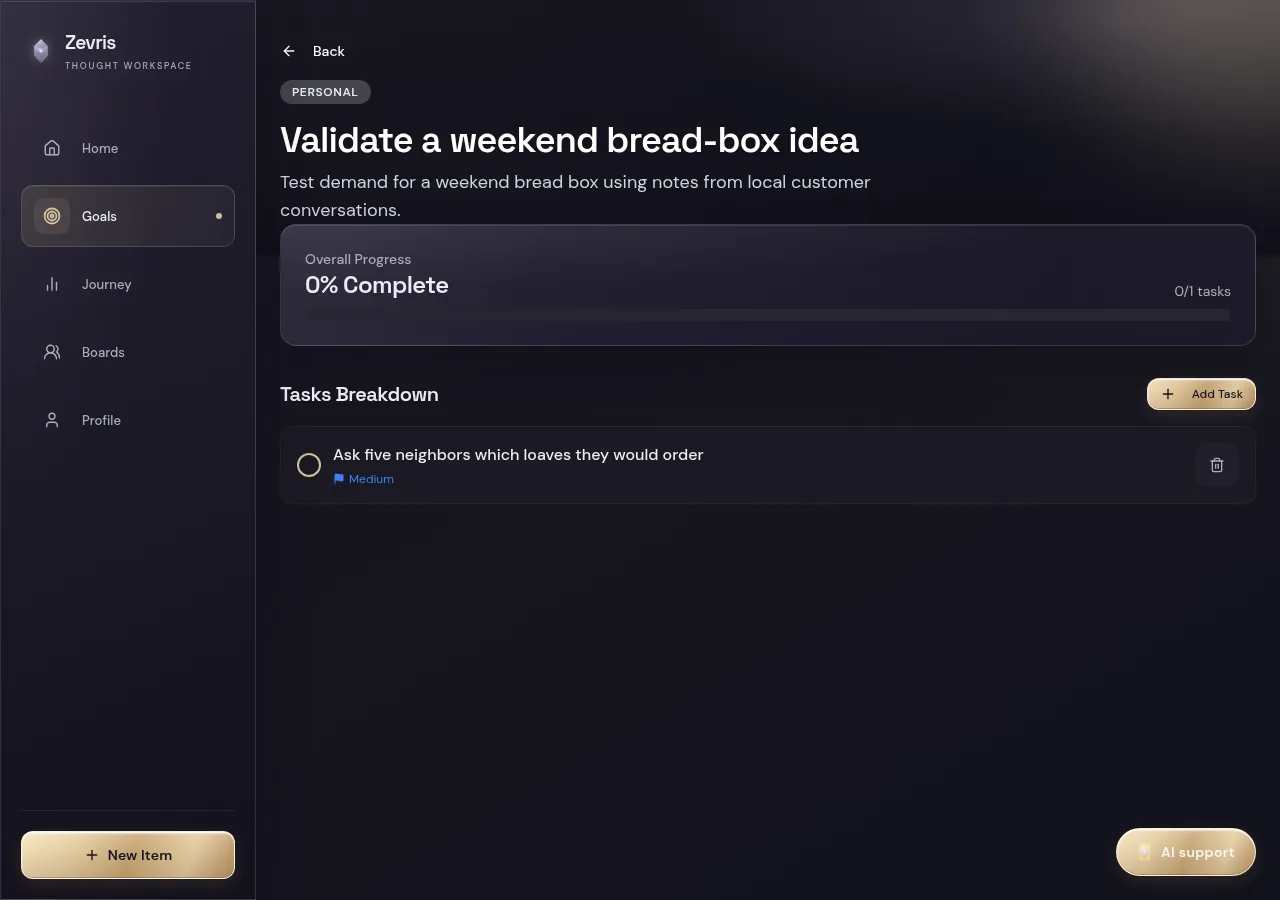
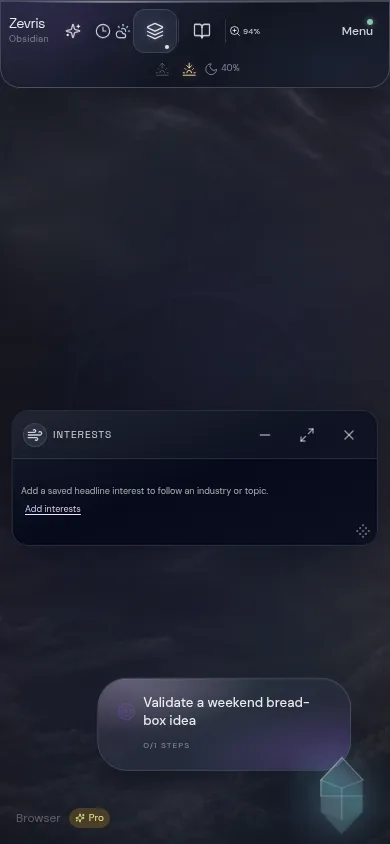
These are screenshots from the working Zevris app, not the illustrative hero animation. The account and example content are disposable.
1. Keep the question
“Would a weekend bread box work?” stays a thought until you decide what it means.
2. Add context
Keep your own readable notes or references beside the idea and ask Zevris to compare them.
3. Choose a next step
Ask for a plan when ready; review the saved goal and ordered tasks linked to the thought.
The screenshots use isolated browser-test data. They do not show a customer account or claim automatic research, integrations, or document updates.
Secure connections
Your own account-protected canvas
AI help for reflection, creation, and next steps
AI support assistant and email support
Inside Zevris Prisma
Let an idea take shape before you decide what it is.
Begin with a question or half-formed thought. Keep useful context nearby, explore it with AI, and shape it into a note, draft, or plan when you’re ready.
Start with an unfinished thought
Put down a question, hunch, or half-formed idea before you know what it needs to become.
Think it through with Zevris
Ask for another perspective, a draft, an explanation, or a useful next question.
Keep useful context close
Place readable documents and references alongside the thoughts they inform.
Make something from the idea
Use AI to help write, review code, or create a small browser preview from the work on your canvas.
Let a plan emerge when it’s ready
Clear goals and process requests can become connected steps, target dates, and visible progress.
Return to the thread
Keep related thoughts, goals, and next steps together in one personal canvas as your work evolves.
Try an idea in room view
On supported devices, analyze one camera frame on request for visible text and objects. Place your own labels on detected surfaces where AR tracking is available; otherwise they stay screen-fixed and may drift.
Capture a voice note
Record when you choose; Zevris transcribes after you stop so you can use the words in your current draft.
The personal agent
A focused mode for the work in front of you.
Choose how you want to work, from shaping a draft to practicing a conversation. Keep the thread connected to your personal canvas.
Write & communicate
Shape a draft, explore fresh angles, or outline a presentation from the material you provide.
- Writing & editing
- Brainstorming partner
- Presentation coach
Research & organize
Synthesize sources you share, turn a goal into a plan draft, or prepare an editable email draft.
- Research & synthesis
- Project planner
- Email assistant
Learn & practice
Work through a topic, quiz yourself, rehearse an interview or conversation, or prepare from your meeting notes.
- Learning coach
- Study & quiz
- Interview practice
- Meeting prep
- Conversation practice
Reflect & decide
Get general help grounded in relevant canvas context, or compare options against the priorities you choose.
- Assistant
- Decision coach
Research & synthesis works with sources you share; it does not search the live web. Email drafts stay editable and are never sent without your confirmation.
Canvas flows
Give a repeatable process a clear shape.
Describe what starts a process, outline the steps, and review the flow as an editable draft on your canvas. Canvas Flows do not run automatically.
Drafts only · not running
A spatial way to think
Explore freely. Shape what matters when you’re ready.
Thoughts, references, and next steps share one ambient canvas. Follow a thread without forcing it into a checklist.
- 1
Begin anywhere
Add a thought, question, note, voice capture, or readable reference to your canvas.
- 2
Explore the thread
Think it through with Zevris, ask for another angle, or gather the material that helps it make sense.
- 3
Shape what matters
Make a note, a draft, or a plan when you’re ready, or keep exploring without forcing an answer.
One personal canvas
Different lives. Many kinds of thought.
Study, projects, creative work, or personal reflection can all begin in the same space.
Entrepreneurs & Founders
Keep an open question, useful research, and the plan they become in one place.
See how founders use the canvasIndividual Project Leads
Untangle your own projects without forcing every thought into a task.
Students & Researchers
Keep study questions, readable sources, and next steps on your own personal canvas.
Explore study and research planningPersonal Growth
Reflect, gather ideas, and choose what you want to do next at your own pace.
Zevris Prisma
Test a weekend bread box without losing the thread.
Start with the question “Would people buy a weekend bread box?” Keep customer notes or readable research beside it. Ask Zevris to compare what you provide, then request a plan only when you are ready. The goal and ordered tasks can stay linked to the original thought; you decide what to keep and what to do next.
A different kind of workspace
Not every thought needs to become a task
Keep the freedom to explore, create, and follow through in one personal canvas.
Rigid workflows
With Zevris
Plans for your pace
Pricing that fits your pace
Start with a 10-minute preview and 10 AI credits. No credit card required.
Starter
$14.99/ month
A calm place to organize ideas and get your next goal moving.
- 75 AI credits/month
- AI workspace with chat
- Data sync across devices
- 4 canvas themes
- Golden project bubbles
Pro
Recommended$44.99/ month
Bring goals, tasks, day planning, and documents into one workflow.
- 250 AI credits/month
- AI workspace with chat and tasks
- Day planning and documents
- Data sync across devices
- Enhanced visual effects
- All 5 canvas themes
- Priority support
Premium
$119.99/ month
For frequent AI planning, with priority responses and VIP support.
- 700 AI credits/month
- AI workspace with chat and tasks
- Day planning and documents
- Priority AI responses
- VIP support
- All 5 canvas themes
Billed monthly. Cancel anytime.
Need more credits?
One-time credit packs for when your monthly credits run out. Purchased credits do not expire.
Text requests use 1 credit, images 3, transcription 2, and voice 24. How credits work
- 25 AI credits$9.99
- 100 AI credits$29.99
- 250 AI credits$69.99
Frequently asked questions
What is Zevris?
Zevris is a thinking companion and canvas for ideas, notes, research, and plans. You keep your thoughts in one place, ask AI for help, and decide what to save and when to make a plan.
How does the free preview work?
Create a free account and your 10-minute preview with 10 AI credits starts when your canvas is ready. No payment method is required.
Can I cancel my subscription?
Yes. Plans are billed monthly and you can cancel anytime.
What happens if I run out of credits?
AI features pause until your monthly allowance resets or you upgrade. You can also buy one-time credit packs, and purchased credits do not expire.
How many credits does a request use?
A standard text request uses 1 credit. Image generation uses 3, transcription uses 2, and voice conversations use 24.
Can I use Zevris on my phone?
Yes. Every plan includes data sync across devices, and the screenshots above show the phone view.
Start with what's on your mind.
Think it through, keep what matters, and make a plan if, and when, you want one.
Security & privacy
Your data, protected
We take security seriously. Here's what we do to keep your information safe.
SSL/TLS Encryption
All data transmitted over secure, encrypted connections
Secure Authentication
Your sign-in session is kept in an HTTP-only cookie and expires automatically.
Limited Site Analytics
We measure aggregate visits and page engagement, not your workspace content
Data Deletion Rights
Delete Zevris-stored account data; provider-held data follows the provider’s policies.
Data Export
Download account, goals, tasks, and board details as JSON
HTTP-Only Sessions
Secure session cookies with proper expiration
For complete details, see our Privacy Policy.